Contents(7)
- 1Why doesn't Instagram show profile visitors?
- 2Who watched my story? Here's how to find out
- 3What do Instagram statistics show about profile visits?
- 4Beware of apps that promise profile visitors
- 5Who's looking at my profile? Here's what you can tell
- 6Conclusion: Can you see who visited your Instagram profile? No
- 7FAQ about Instagram profile visitors
In short: No. Instagram doesn't show you who has visited your profile, and it doesn't offer this feature. What you can see is who has watched your story, up to 48 hours after posting. With a public account, your statistics also show you how many profile visits a post has generated, but without names.
You'll become visible through reach, not through visitor lists: buy Instagram followers at BigFollow, without password.
Can you see who visited your Instagram profile? No. Instagram doesn't have a feature that shows profile visitors by name, either in the app or in your statistics. What you can see are story viewers, likes, comments, and new followers. For public accounts, you also get the number of profile visits that a post or story has generated.
Why doesn't Instagram show profile visitors?
Because the feature simply doesn't exist on Instagram. The Instagram help section describes only two things that go in this direction: the list of story viewers and statistics (Insights) with numbers but no names. A list of profile visitors doesn't appear there, and Instagram doesn't share this data with other apps either.
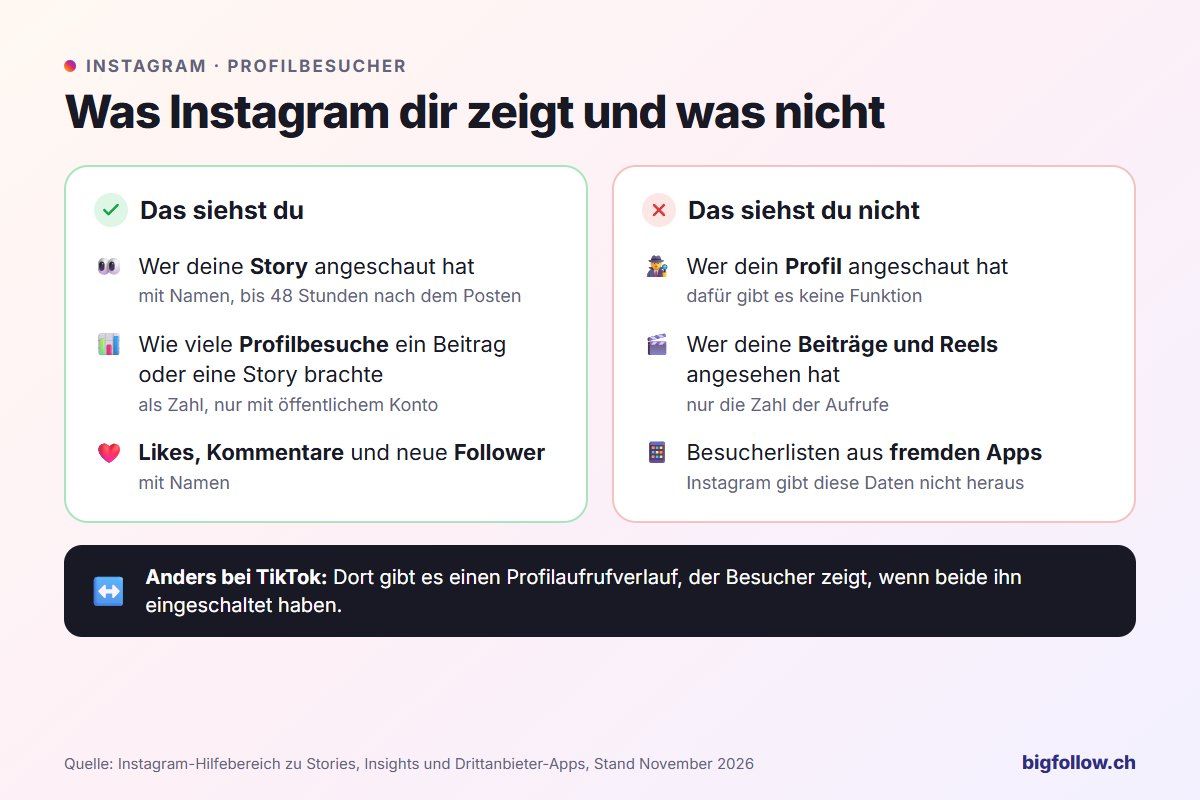
TikTok is different: it has a profile visit history that shows visitors if both sides have it enabled. How it works is explained in Can you see who visited your TikTok profile?
Who watched my story? Here's how to find out
With your story, you can see exactly who watched it, including their names. Here's how:
- Open your story, for example, by tapping your profile picture at the top of your feed.
- Swipe up on the screen. You'll see the number of views and the names of the viewers.
- If the story is older than 24 hours, open it via Profile → Menu → Archive and swipe up there.
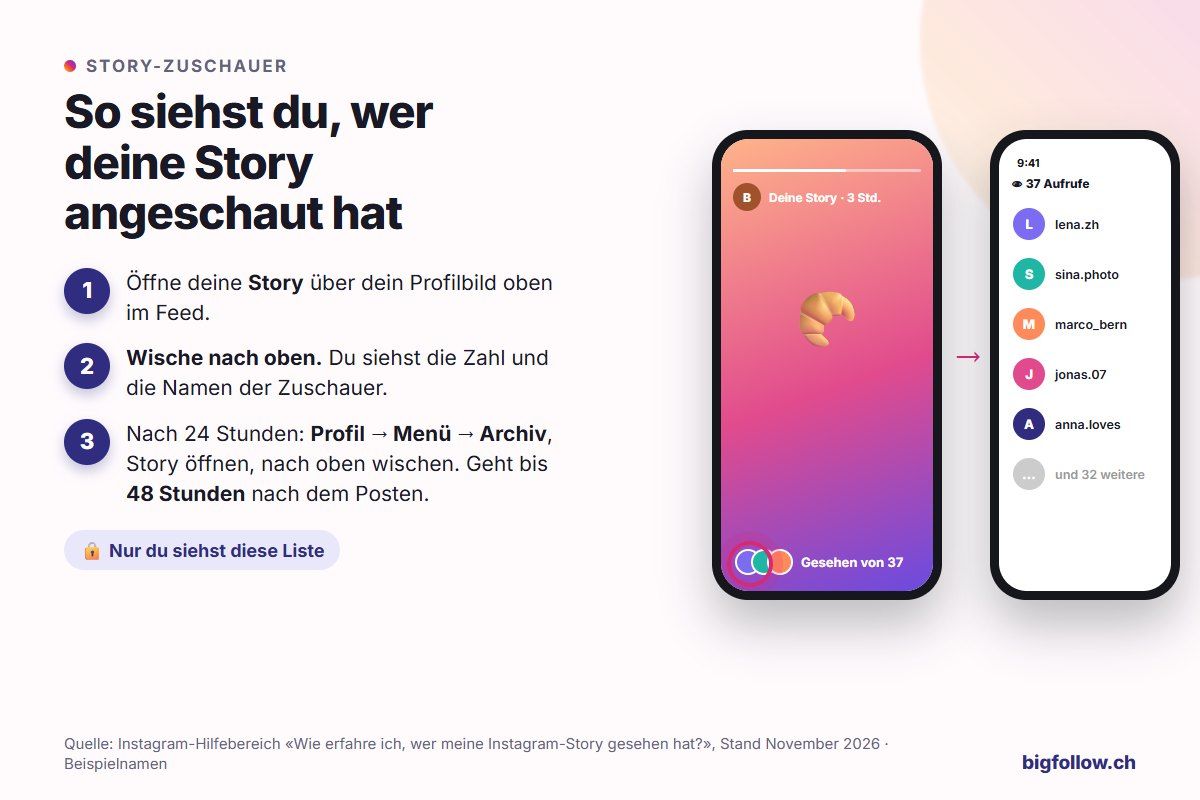
According to the Instagram help section, this works for 48 hours after posting, then the list disappears. Only you can see it. Two details: the number of views can be higher than the number of names because repeated views are counted. And subscribers to Instagram Plus who only viewed your story in preview don't appear in the list, according to Instagram.
Read more about stories and their features in What is a story on Instagram?
What do Instagram statistics show about profile visits?
The statistics, called «Insights» on Instagram, show how many people visited your profile, not who. Under «Profile activity» of a post or story, you can see, for example, how many profile visits, new followers, or website clicks it generated.
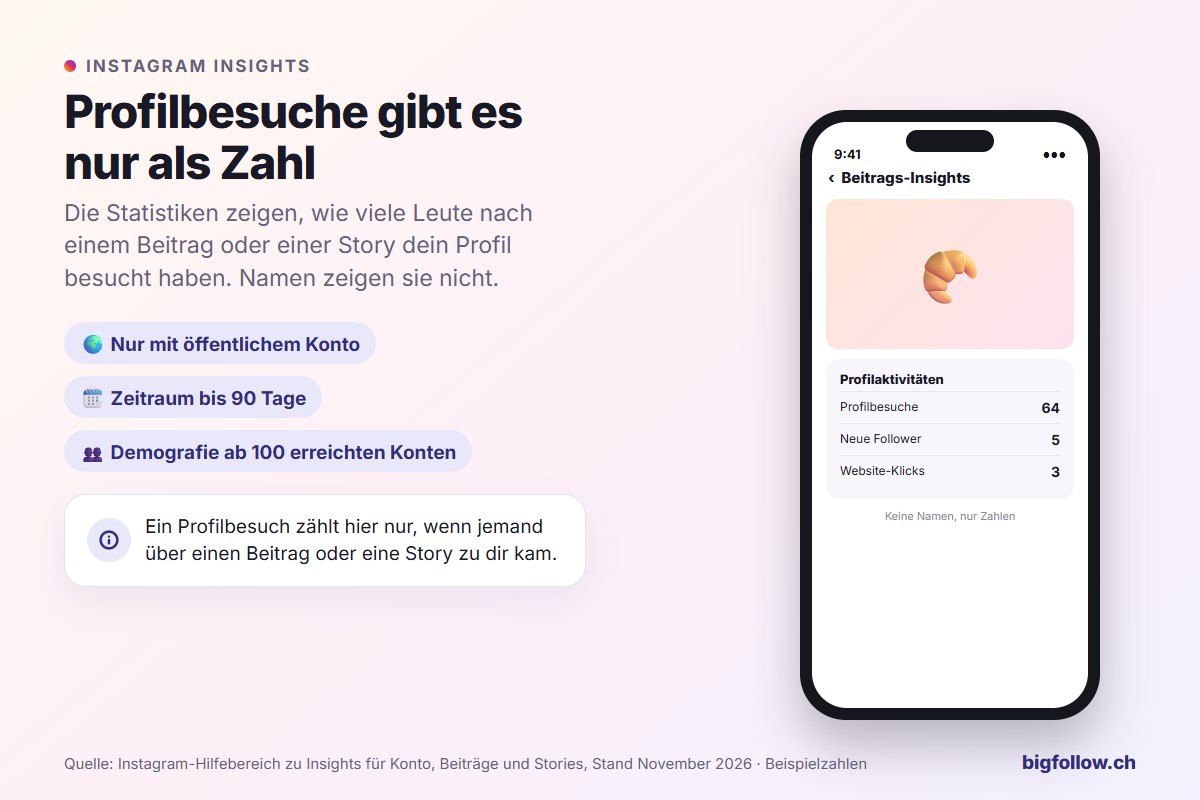
According to Instagram, you need a public account for Insights, either personal or professional. You can select time periods within the last 90 days. Information about your audience's age, location, and gender only becomes available once you've reached more than 100 accounts. Find out what else a professional account offers in What is a professional account on Instagram?
Beware of apps that promise profile visitors
Apps and websites that promise you a list of your profile visitors can't have that list because Instagram doesn't keep one. Usually, such offers want you to log in with your Instagram account.
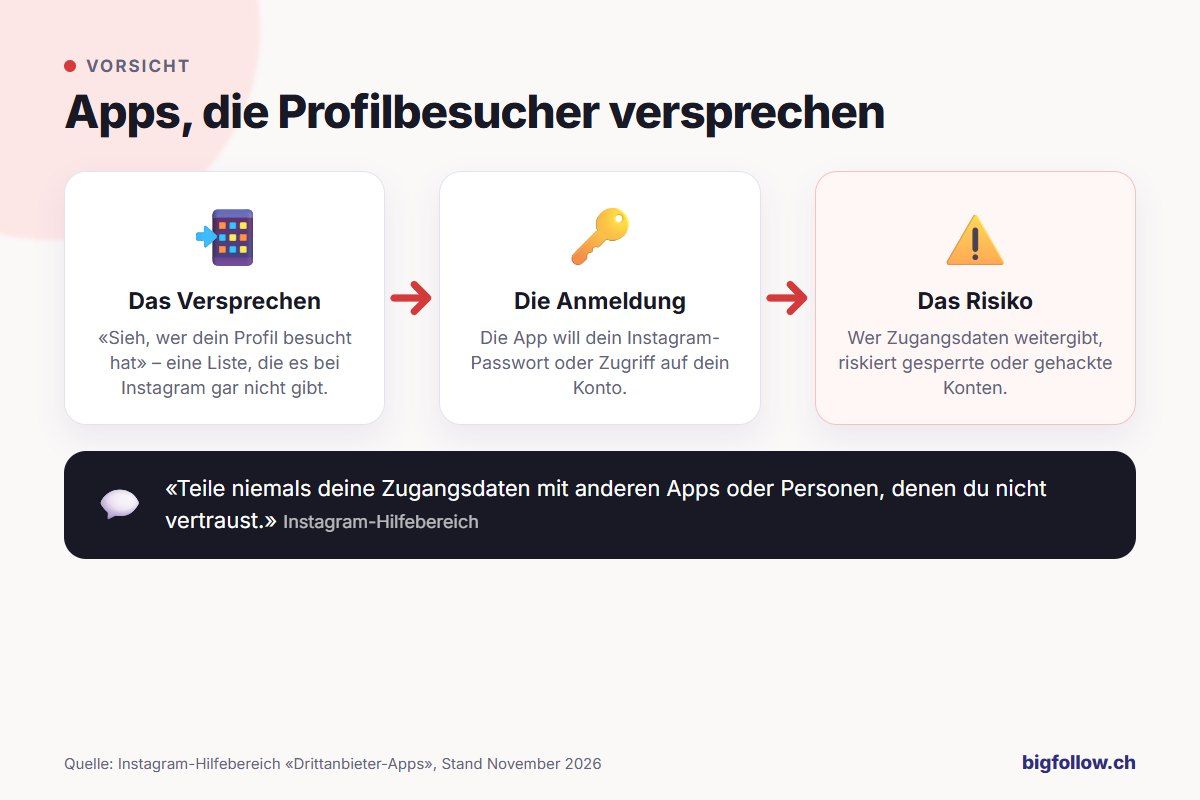
The Instagram help section on third-party apps is clear on this: Never share your login credentials with apps or people you don't trust. If you've already given such an app your password, change it immediately. You can find what to do if someone has taken over your account in Instagram hacked, what to do?
Who's looking at my profile? Here's what you can tell
You're not completely in the dark, though. These signals show you who's interested in your profile:
| Signal | What it tells you |
|---|---|
| Story viewers | Who actively follows your content, by name |
| Likes and comments | Who engaged with a post |
| New followers | Who stayed after a visit |
| Profile visits in Insights | How many people a post brought to your profile |
| Message requests | Who contacted you |
However, viewing a story doesn't mean the person opened your profile. These signals show interest, not visits.
Conclusion: Can you see who visited your Instagram profile? No
On Instagram, you can't see who visited your profile. Instead, use the story viewers and Insights: they show you which content brings people to your profile. And avoid apps that promise more, because they only endanger your account.
FAQ about Instagram profile visitors
Does someone see that I looked at their Instagram profile?
No. A visit to a profile stays invisible; Instagram doesn't report it. You only become visible when you interact: when you view a story, like a post, comment, or follow the person. Story views appear with your name in the viewer list.
Can I see who visited my profile with a business account?
No, not even with a professional account. Insights only show you numbers on public accounts, for example how many profile visits a post generated. Names only appear for story viewers, likes, comments, and new followers.
Can you see who watches my Reels?
Only as a number. With Reels and posts, you see how many times they were played or viewed, but not by whom. By name, you only see who likes or comments on a Reel. Instagram only has a viewer list with names for Stories.
How long can you see who watched my story?
Up to 48 hours after posting. While your story is live, you swipe up in it. After that, you can find it in your Archive and see the viewers there until the 48 hours are up. Later, Instagram only shows the story itself, without the list.
Bigfollow
Social media team
BigFollow is the social media shop of PortalWeb GmbH in Altdorf, Switzerland. Since 2022 we have delivered followers, likes and views with a focus on quality so that profiles really grow. Our social media team writes the guides and tutorials on the blog.
Learn more about Bigfollow