Contents(8)
In short: A Reel is a vertical video that you share on Instagram with music, text, and effects. Reels can be up to 20 minutes long. However, Instagram only recommends Reels up to 3 minutes to people who don't follow you yet. Reels appear in the feed, in the Reels section, and on your profile.
More views for your Reels: Instagram Views at BigFollow, without password.
What is a Reel on Instagram? A Reel is a short vertical video, similar to TikTok. Instagram launched Reels worldwide in August 2020, initially with a maximum of 15 seconds. Today, they're the most important video format on the app. Here you'll learn how long a Reel can be, what format it needs, and how to create your first Reel.
What is a Reel on Instagram? Simply explained
A Reel is a video that fills your entire phone screen. You can put it together from one or several clips and add music, original audio, text, stickers, and effects. Unlike a Story, a Reel doesn't disappear after 24 hours but stays on your profile until you delete it.
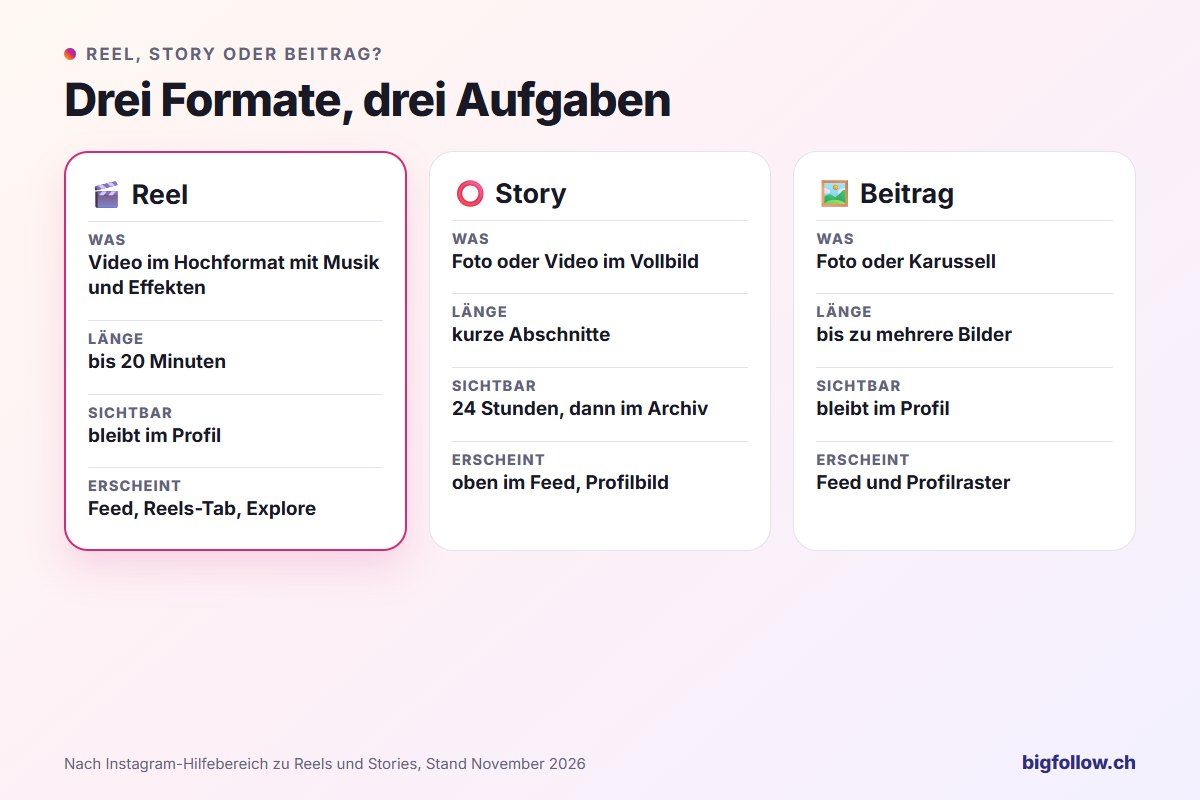
You can see Reels in three places: in the feed between posts, in the app's dedicated Reels section, and in the Reels tab of a profile. When you share a Reel publicly, Instagram can also show it to people who don't follow you. For a more detailed comparison of how Reels differ from Stories, see What is a Story on Instagram?, and to learn what a feed is, check What is a feed on Instagram?
How long can a Reel on Instagram be?
According to the Instagram Help Center, a Reel can be up to 20 minutes long and can consist of one or multiple clips. However, there's an important limit: Instagram doesn't recommend Reels longer than 3 minutes to new audiences. If you want to reach people who don't know you yet, stay under 3 minutes.
What format do Instagram Reels have?
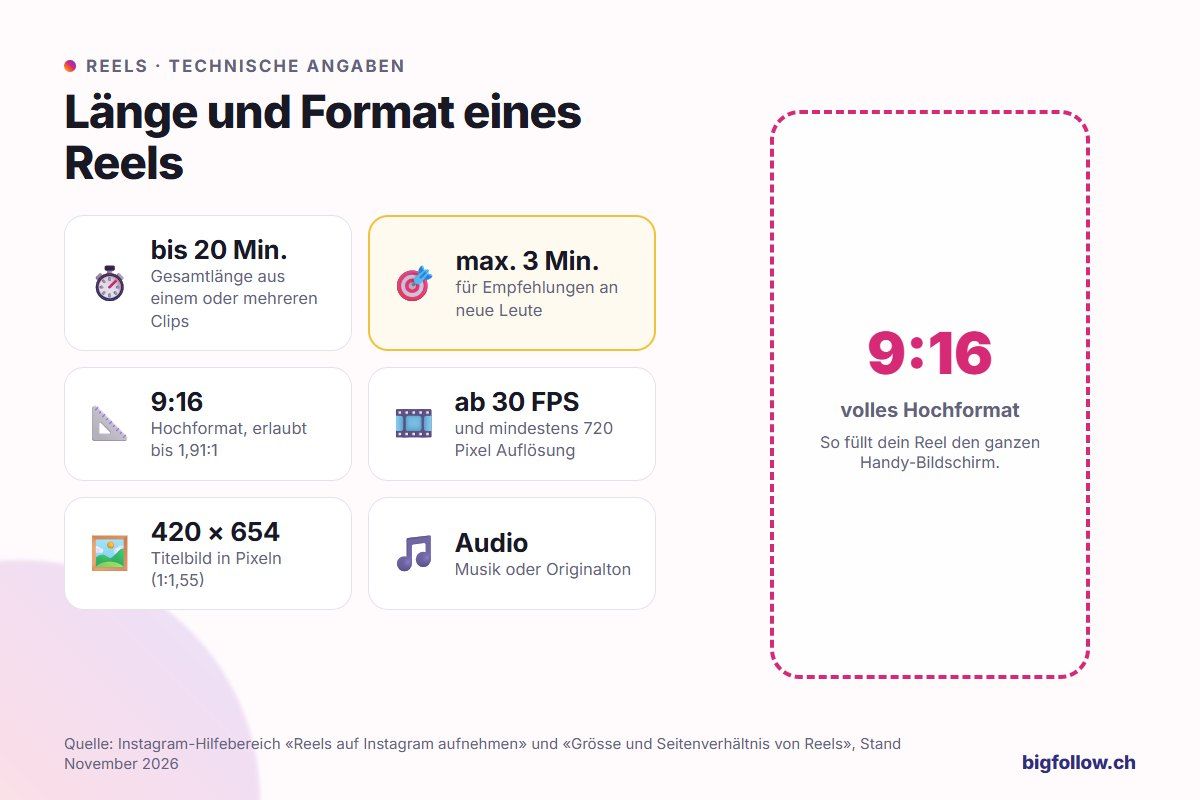
Reels are designed for the vertical format 9:16. You can upload videos with an aspect ratio between 1.91:1 and 9:16. The specifications from the Instagram Help on size and aspect ratio:
| Specification | Value |
|---|---|
| Length | up to 20 minutes, recommendation for new people only up to 3 minutes |
| Aspect ratio | between 1.91:1 and 9:16 |
| Frame rate | at least 30 frames per second |
| Resolution | at least 720 pixels |
| Cover image | 420 × 654 pixels (ratio 1:1.55) |
You currently can't change the cover image after uploading, so choose it consciously before sharing. In the settings under «Media Quality» you can also enable «Upload in highest quality»; uploading will then take a bit longer.
How to create a Reel on Instagram
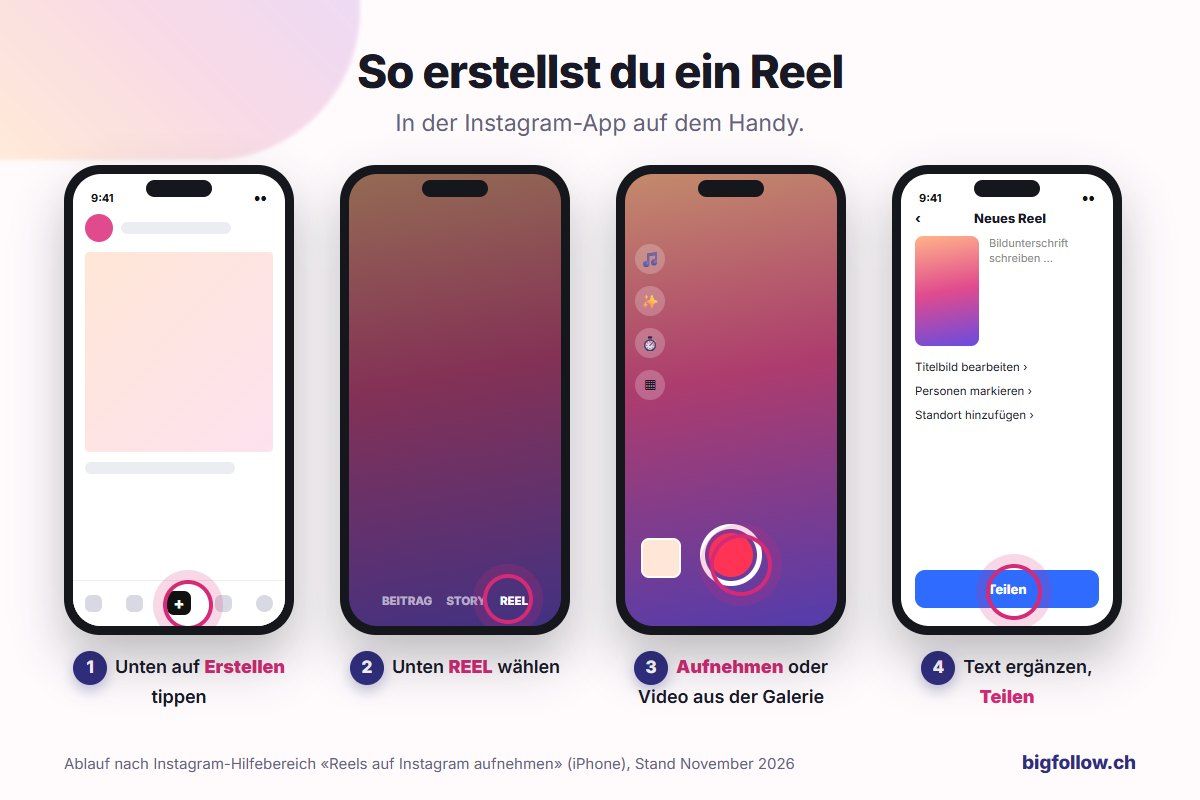
In the app, you only need a few steps:
- Tap Create at the bottom of your feed.
- Select REEL at the bottom.
- Hold down the record button to record a clip, or choose a video from your library on the bottom left. Use the tools on the left to add audio, effects, and layouts.
- Tap Next, add text, stickers, or music, and edit the clips on the timeline.
- Tap Next again, choose a cover image, write a caption, and tap Share.
According to Instagram, Reels are not yet available for all accounts: some can view Reels but cannot create them themselves. If you don't see this option, update the app first. For information about which music you can use in your Reel, see What music can I use on Instagram?
Who sees your Reels?
It depends on your account. With a public account, Instagram can show your Reels to people who don't follow you, for example in the Reels section. With a private account, only your followers see your Reels.
Your statistics show you how many times a Reel has been played. Instagram doesn't show who has viewed it—you only see names of people who liked it or commented on it. Learn more in Can you see who visited my Instagram profile?
Tips for Reels with Greater Reach
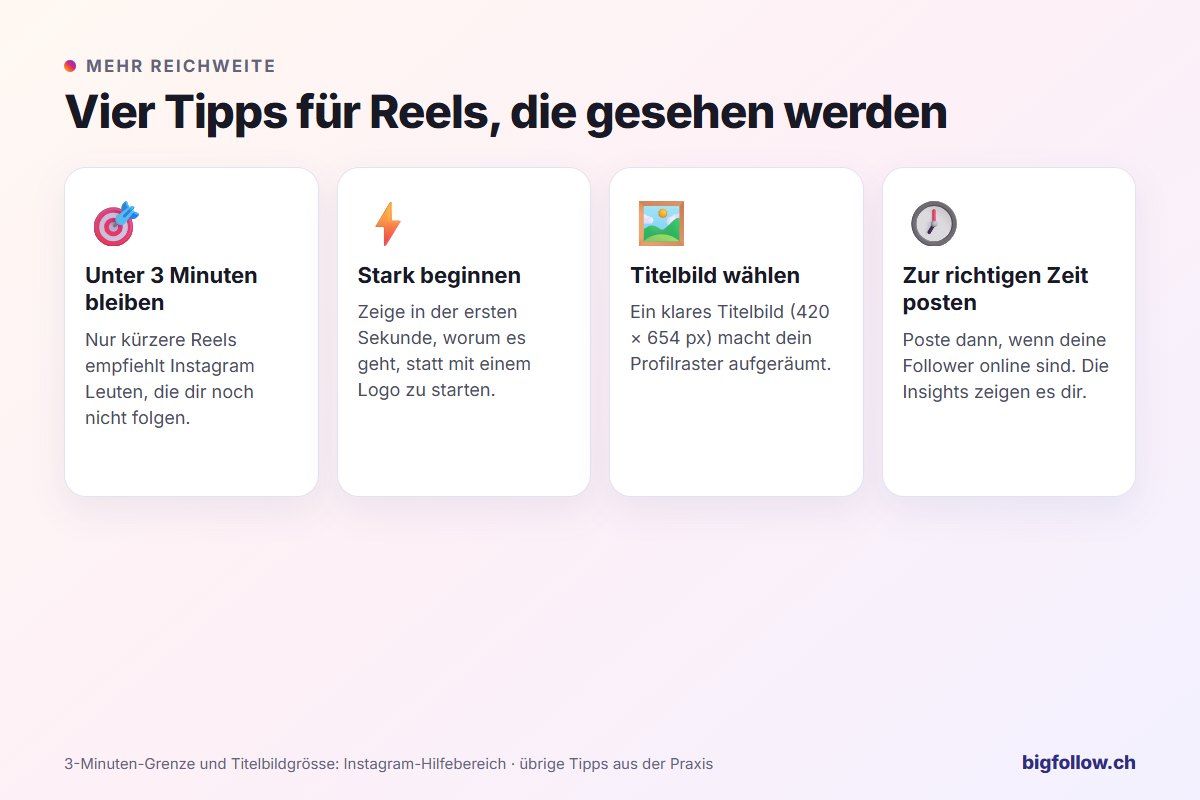
- Stay under 3 minutes: Only then will Instagram recommend your Reel to new viewers.
- Start strong: Show what it's about in the first second. A slow start costs you viewers.
- Choose your cover image deliberately: It shapes your profile grid and can't be changed later.
- Post at the right time: Your Insights show you when your followers are online. You'll find general values in Best Time for Instagram Posts.
Conclusion: Reels are Instagram's Videos
A Reel is a vertical video with music, text, and effects that stays on your profile. It can be up to 20 minutes long, but you'll only reach new people with Reels up to 3 minutes. Start with a short clip about a topic that interests your followers, and try out the app's tools.
FAQ on Instagram Reels
What does Reel mean on Instagram?
«Reel» is English and means film roll or spool. On Instagram, a Reel is a video in vertical format that you edit with music and effects and share on your profile. The term refers to the entire video format of the app, including longer videos.
How long can an Instagram Reel be?
Up to 20 minutes, made from one or multiple clips. However, Instagram doesn't recommend Reels over 3 minutes to new audiences. To get more reach with people who don't follow you yet, you should keep it under 3 minutes.
When were Instagram Reels introduced?
Instagram launched Reels worldwide on August 5, 2020. Before that, the format was tested in some countries, including Germany, France, and Brazil. At launch, Reels could only be 15 seconds long, but today they can be up to 20 minutes.
Can you see who watched your Reel?
No, only how many times it was watched. The statistics show you the number of views, but not names. With names, you only see who liked or commented on your Reel. A viewer list with names exists on Instagram only for Stories.
What's the difference between a Reel and a Story?
A Story is no longer visible to others after 24 hours and appears at the top of the feed. A Reel stays on your profile until you delete it and can also be shown in the Reels section to people who don't follow you. You see Story viewers with names, but Reel viewers only as a number.
Bigfollow
Social media team
BigFollow is the social media shop of PortalWeb GmbH in Altdorf, Switzerland. Since 2022 we have delivered followers, likes and views with a focus on quality so that profiles really grow. Our social media team writes the guides and tutorials on the blog.
Learn more about Bigfollow