
What is an Instagram Story? A Simple Guide to 24-Hour Stories
What is an Instagram Story? A Simple Guide to 24-Hour Stories
Contents10
- The colorful circles that everyone taps on
- The simple explanation: What makes an Instagram Story so special?
- The big difference: story vs. feed post
- How to look at Insta Stories (and understand them)
- Leo and the food festival: a real-life example
- The true superpowers: what you can pack into a story
- Become a creator yourself: how to create your first story
- No ideas? Here are some brilliant story ideas for you!
- FAQ: Frequently asked questions
- Conclusion: Your stage for the big and small moments
The colorful circles that everyone taps on
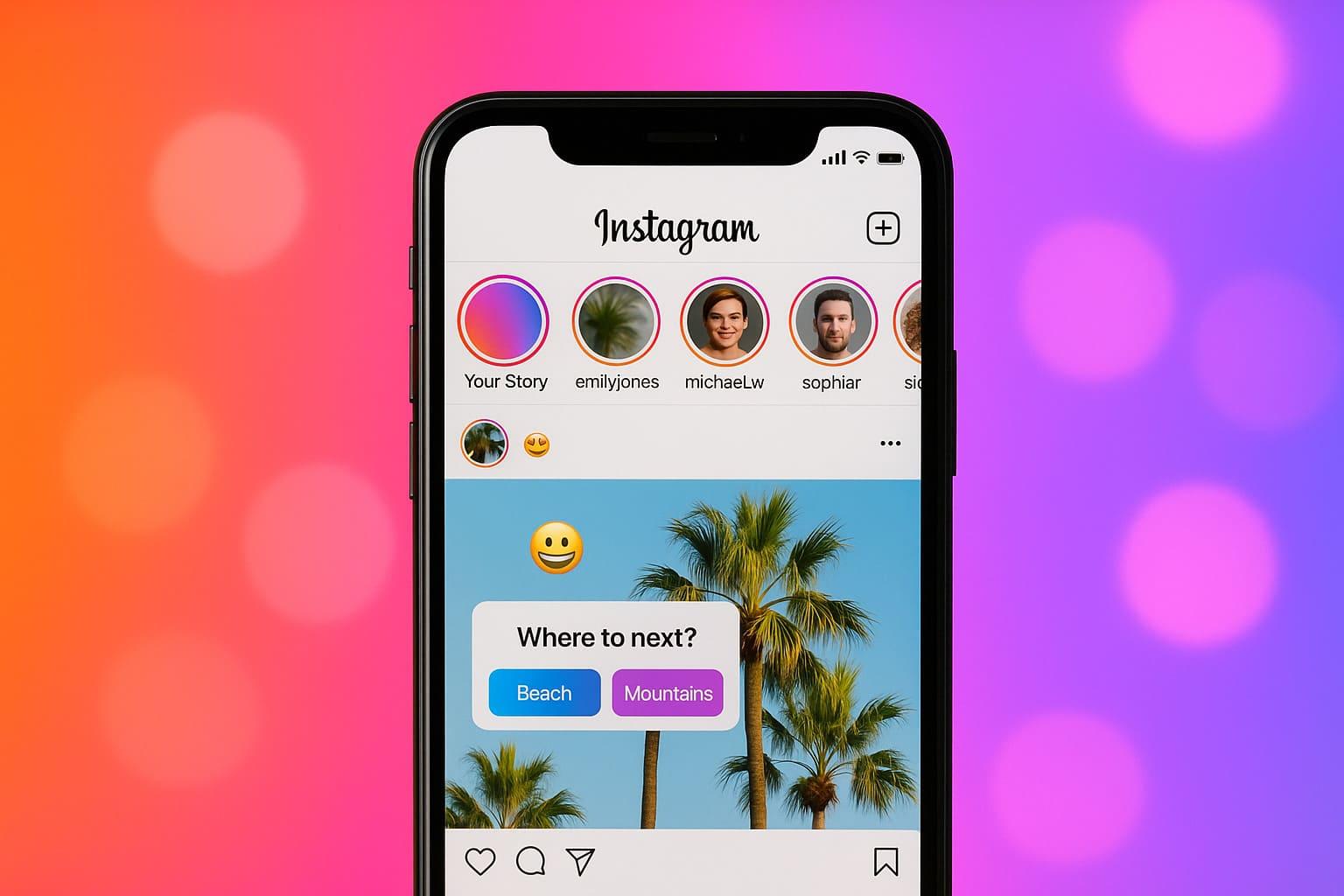
You probably know them: the colorful, glowing circles at the top of your Instagram app. You tap on one and you're in the middle of a small, animated story made up of photos and short videos. But what is a story on instagram exactly? Why do people post different things there than in their normal feed? And how can you create such cool Insta Stories create?
If you're asking yourself these questions, you're not alone! The story feature is one of the most popular and creative corners of Instagram, but for beginners it can seem a little confusing at first.
In this guide, we explain everything from A to Z - very simply and without technical terms. We'll show you what makes a story so special, the countless possibilities it offers and how you can create your own stories. Stories yours Follower can inspire. After reading this article, you'll be a real story pro!
The simple explanation: What makes an Instagram Story so special?
Imagine your normal Instagram feed like a beautiful photo album. It's where you keep your best, carefully selected pictures. An Instagram Story, on the other hand, is like your personal diary for a day - spontaneous, genuine and for the moment.
Three things make a story unique:
1. it disappears after 24 hours
This is the most important rule! Every part of your story - whether photo or video - is only visible for 24 hours and then disappears automatically. This takes away the pressure of always having to be perfect. You can simply share whatever is on your mind without it remaining on your profile forever.
2. it is in portrait format
While normal posts are often square, the classic Instagram Story Format the portrait format (9:16). It fills the entire cell phone screen and really captivates the viewer.
3. it is made for the moment
In the Stories is about the "here and now". A look behind the scenes, a funny moment in everyday life, a quick thought - all of this fits perfectly into a story. It's the place for authentic, unpolished content.
Interim conclusion: A story is a collection of photos and videos in portrait format that disappears again after 24 hours and offers the perfect place for spontaneous everyday moments.
The big difference: story vs. feed post
Many people ask themselves: "When do I post something in the story and when in the feed?" Here is a simple mnemonic:
| Feature | Feed-Post | Instagram Story |
| Service life | Forever (until you delete it) | 24 hours |
| Look & Feel | Rather polished, high quality, "the best photo" | Rather spontaneous, genuine, "behind the scenes" |
| Interaction | Likes, comments, save | Surveys, quizzes, questions, quick responses |
| Visibility | Appears in the feed of your followers | Appears as a circle at the top of the app |
How to look at Insta Stories (and understand them)
The colorful circles at the top of your home feed are the profile pictures of people who have posted a new story.
- Take a look: Tap on one of the circles to start that person's story.
- Navigate:
- Tap right on the screen to jump to the next part of the same person's story.
- Tap leftto go back to the previous part.
- Swipe from right to leftto jump to the next person's story.
- Hold down your fingerto pause the story (e.g. to read a text in peace).
This simple system of tapping (right left) and wiping is the key to getting through the Stories to navigate.
Leo and the food festival: a real-life example
Leo visits a food festival. He eats a fantastic burger.
- His feed post: He takes a perfect, well-lit photo of the burger and posts it in his feed with a nice caption. This picture stays in his gallery forever.
- His story: He films a short video of the burger being freshly prepared. He adds the song "Yummy" via the music sticker. He then takes a selfie of himself happily biting into the burger and starts a poll: "Best burger in town? YES / DEFINITELY". He marks the location of the festival. These spontaneous moments are gone again after 24 hours, have lost their Followers but gave an authentic insight.
The true superpowers: what you can pack into a story
What Insta Stories are the countless interactive stickers. They bring your story to life and invite your Follower to join in.
Here is a small selection of the most important stickers:
- Music: Add any song in the world to your photo or video.
- Link: Share a clickable link to a website, a product or a YouTube video.
- Survey: Ask a question with two possible answers and let your community vote.
- Quiz: Create a small quiz with up to four answers and see who knows the right one.
- Question stickers: Let your followers ask you questions, which you can then answer in your next story.
- Slider: Let your followers show their approval with a sliding emoji (e.g. "How much do you love pizza? 🍕").
- Location: Mark where you are right now.
- GIFs: Add funny, animated images to spice up your story.
These stickers are the best way to start a conversation with your community and increase engagement.
Become a creator yourself: how to create your first story
- Open the story camera: Tap on your profile picture with the small blue plus in the top left-hand corner of your start page or simply swipe from left to right.
- Create content:
- Tap the shutter button once to take a Photo to make.
- Press and hold the shutter button to record a video.
- Swipe up (or tap the gallery icon) to select an existing picture or video from your phone.
- Get creative: Use the icons at the top of the screen to edit your story. Add text, music, filters or one of the interactive stickers.
- Publish: When you're done, tap on "Your story" at the bottom to share it with all your followers. You can also send it only to "Close friends".
More tips and tricks for creating Insta Stories -> here
No ideas? Here are some brilliant story ideas for you!
- A look behind the scenes: Show your workplace or how a product is created.
- Before/After: Show a transformation (a renovated room, a new outfit).
- "Ask Me Anything": Use the question sticker and answer questions from your community.
- A short tutorial: Show in a few steps how to do something (e.g. brew a coffee).
- Share a mistake: Talk about something that didn't work out. That makes you human and approachable.
- Make a "day in the life" report: Take your followers with you for a whole day.
- Recommend something: Share your favorite book, your favorite movie or another Instagram account.
FAQ: Frequently asked questions
How long is an Instagram Story visible?
A story is exactly 24 hours visible for a long time. It then disappears automatically. However, you can save them in your "Highlights". Highlights are like folders for old stories that you want to display permanently on your profile.
Can I see who has viewed my story?
Yes, that is the function of the Instagram Story Viewer. If you are viewing your own active story, you can swipe up from the bottom. A list will open with the names of all the people who have seen your story.
Can you see if anyone has taken a screenshot of my story?
No. This function used to exist for a short time, but it was abolished again. Currently you get none Notification when someone sends a Screenshot of your own Instagram story makes.
How can I share an Instagram Story?
If you have been tagged in another person's story, you will receive a notification and the option to add this story to your own story. If you have not been tagged, you can send the story to your friends as a private message (DM) using the paper airplane button at the bottom right. share.
Conclusion: Your stage for the big and small moments
Now you know exactly, what is a story on instagramIt is your personal 24-hour stage. It's the place for spontaneous, authentic and interactive content that will make you and your Follower closer together.
While your feed is your polished shop window, your Stories the lively conversation in the store. Don't be afraid to try things out. Play with the stickers, share your thoughts and show the imperfect, real moments of your life. Because that's exactly what people want to see on Instagram.
One "Story" on Instagram is a collection of photos and videos in portrait format that automatically disappears after 24 hours. It appears in a colorful circle at the top of the app and is used to share spontaneous, authentic and interactive content such as surveys or quizzes with your followers.
Bigfollow
Bigfollow has been the leading Swiss provider for social media growth, follower packages, likes and engagement boosts since 2022.